- Customer accounts should only be deleted or archived at the request of a manager
- Prior to beginning this process, confirm with the tech team (slack #product-updates) that your user profile has access to the “Account Management” persona. This will grant you the required access to archive accounts
- Proceed to the customer page
- Use the search bar to locate the customer that needs suspension
- Click "Edit" on the right hand side of the customer's column
- Adjust the "State" field to "Archived"
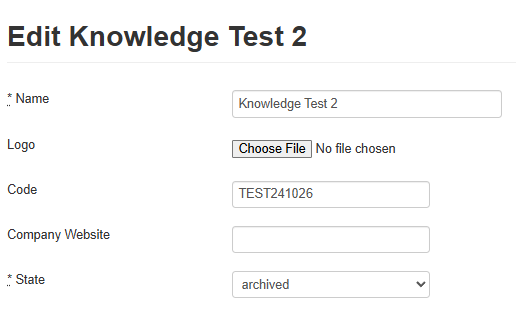
- Archiving an account cuts off access for all registered users. They will receive an error messages when attempting login
- This action can be reversed by restoring "Active" to the "State" field
- Click "Update" customer
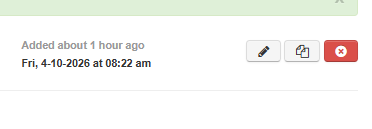
- To delete an account and purge their users permanently use the red "x" button in the upper right corner
-
- The system will ask you to confirm your decision
- Using this button will permanently delete all user records
- Confirm with your manager they want a full purge before using this feature, once utilized it cannot be undone