- In some instances, vendors, users, or internal team members will reach out to resolve an issues and not have the specific order number
- In most cases, order numbers are required to resolve the issue internally or externally
- Here are some ways to locate order ids indirectly
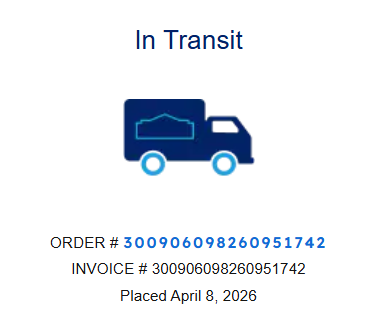
- Vendor reference/order number
- Some vendor updates or confirmation will not include our reference or PO numbers
- Vendor reference/order number
-
-
- Use the vendor order number as search term in HubSpot under all tickets
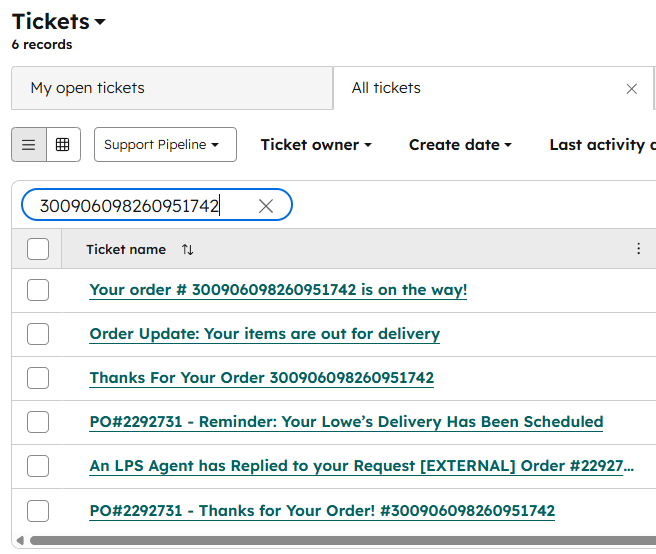
- This generally yields the PO from past communications, invoices, or receipts
- If this search doesn't turn up an order id, use the vendor site or portal to attempt to locate
- Find the login information (where available) in 1Pass
- Once you have access locate the order history and search via the order number
- Use the vendor order number as search term in HubSpot under all tickets
- Delivery/Shipping Address
- Proceed to the locations page
- Search by the address to find the location
- It's possible there will be multiple entries based on the criteria
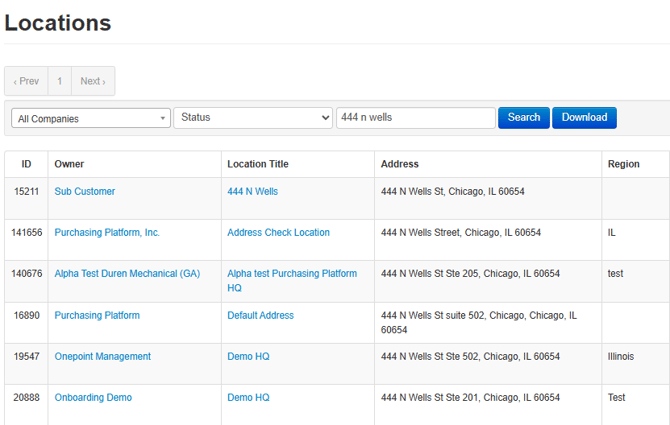
- Use the right hand field "All Companies" to filter by customer if you have that information
- It's possible there will be multiple entries based on the criteria
- Results will display the last order registered to that location
- Click the correct location title to go to the location specific page
- This page will show all assigned users and their most recent orders
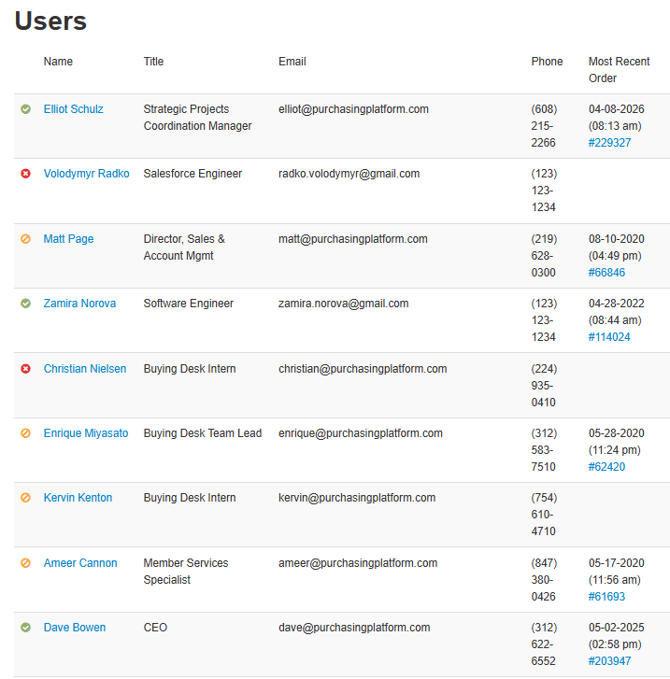
- Users can be clicked on to show their full order history as well
- Search by the address to find the location
- Proceed to the locations page
- User Name
- Proceed to user page
- Search by the name provided
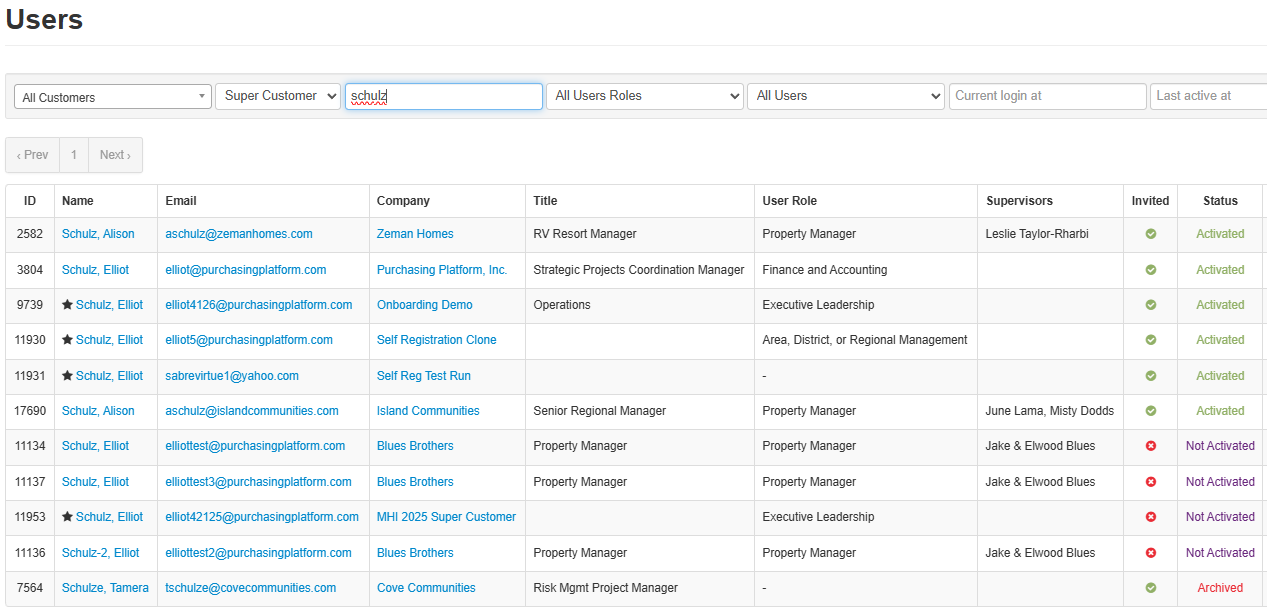
- Multiple results or profiles might be returned
- User "All Customer" Field to narrow by customer
- Limit results to active profiles via "All Users" and select "Activated Users"
- Click the appropriate user to access their order history and locate the order ID
- Using the Order page filters
- The order page has largest number of filters and can be used to locate an order id
- The filters available are less user friendly and can be harder to manage if you don't have exact information
- Trial and error might be required to yield the proper results
- Use any of the filters available based on the information
- Vendor
- Member - User Name
- Location
- Customer
- Product number
- Use PP product ids only
- Date Range
- For best results use multiple to filters to locate the correct order
- The order page has largest number of filters and can be used to locate an order id
-