- This guide will go over how to edit key account objects (addresses, emails, and phone numbers) via the front end
- Frontend account changes must be executed while logged into or shadowing a user's account
- To effectively adjust certain objects, specifically location information, the user must be granted admin privileges
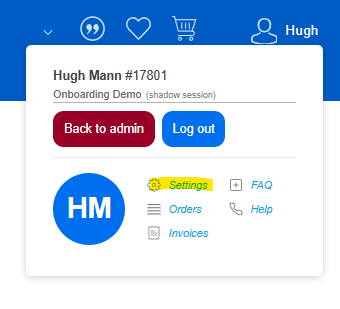
- Start by accessing the settings the page by hovering over the name in the upper right corner and clicking "Settings"
- The settings page will display the available options for a user to access and/or edit
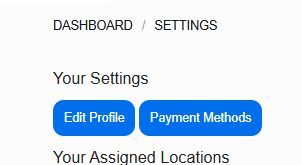
- Click "Edit Profile"
- Via the next screen a user can adjust their name, title, email, phone and user role
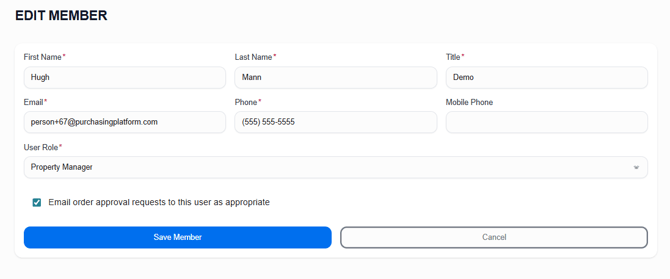
- STOP! Adjusting an email address will change the login for a user. Make sure the user is aware when this is done.
- If the login is changed, the password will remain the same and can be used in conjunction with the new login email
- Please note that if changing to an email that already exists, the system will not accept the change
- STOP! Adjusting an email address will change the login for a user. Make sure the user is aware when this is done.
- Depending on access, location can be adjusted via this front end
- In order to be able to edit, a user must have enabled the permission "Manage Company Settings"
- If enabled you will see additional options when accessing the settings page
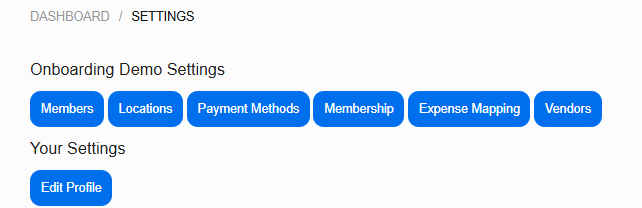
- Click "Locations"
- Search for or locate the correct location
- Custom locations cannot be searched for adjusted via this screen, only the user who creates the locations is able to adjust
- Once located either click the location name or the edit pencil on the right hand column

- The edit button will take you directly to the edit page
- If you click the location name you will have to click "Edit" on the specific location page
- Once in edit mode, you can adjust any field for the location
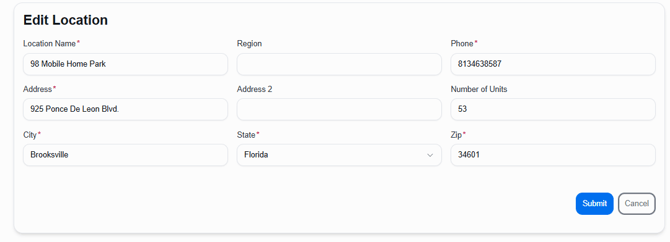
- Our system uses USPS address verification to standardize addresses
- An error will display if the address is not verifiable, typically with a suggestion as to what it should be
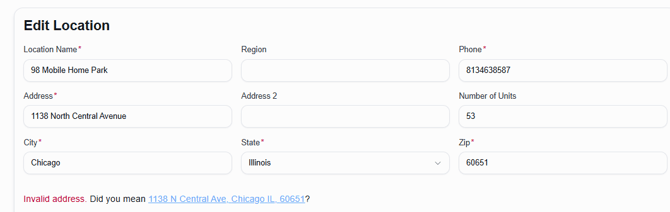
- Clicking the suggestion will populate the standardized address
- If you receive an error with no suggestions, use the USPS website to locate the standardized version
- If the problem persists with no way to enter the address, attempt via the backend or consider an upload to bypass (not recommended)
- Click submit once the changes have been made