- Sample Ticket
- Internally BDRs are the tool we use to convert vendor quotes to an active front end item a customer can purchase
- This function is also used to process order overages (ex. additional shipping costs) for any cost overruns on confirmed orders
- Externally BDRs allow users to request pricing for any item marked "Request for Quote", inquire about items not in our active catalog, or initiate a service request (paving, plumbing, pest control, etc.)
- BDRs initiated on the front end will automatically create a ticket within Hubspot
- BDRs can be viewed, created, or built on the backend via this page
- BDRs can be created for user on either the backend or frontend
- Frontend Creation
- Begin as shadow session as the user
- Click the quotation button in the upper right corner
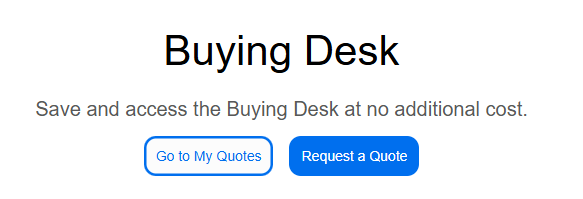
- Or click "Buying Desk" in the upper right corner followed by "Request a Quote
- Fill in all key categories
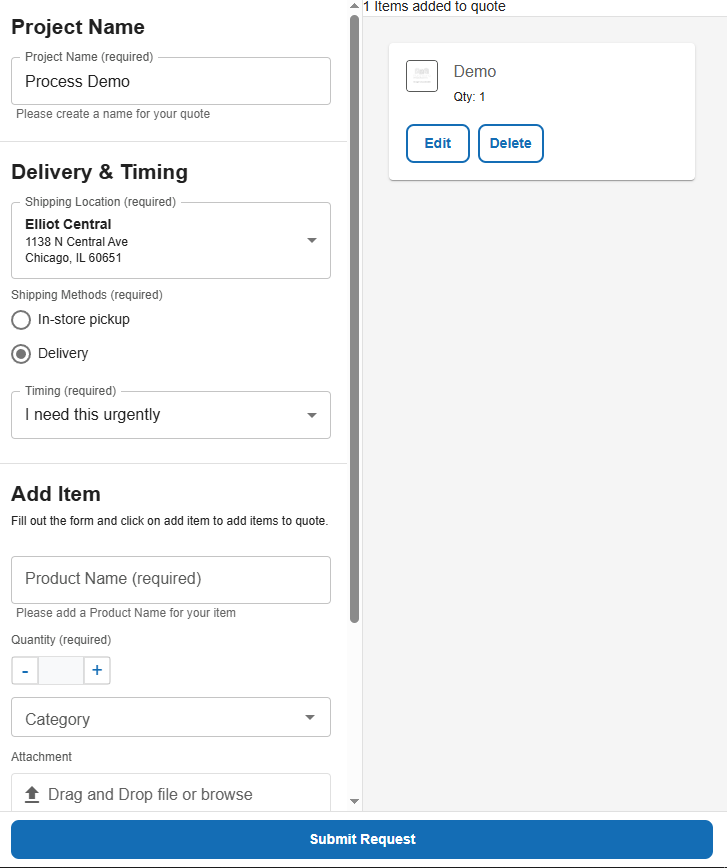
- Project Name - General Name for Quote so user can easily interpret
- Delivery Method & Timing
- Add Item - Brief product or service description
- You can add multiple items to a single BDR with this method
- Category - Best match for products
- File - If needed pictures or vendor quotes are useful
- Notes - Best placed to include vendor SKUs or manufacturer part numbers
- Backend Creation
- On the BDR page click "New Request" in the upper right corner
- Fill in all required fields
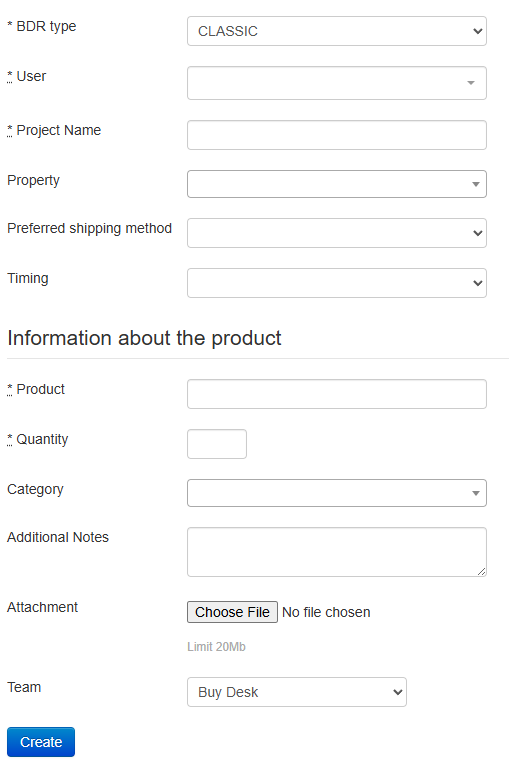
- User - Search for correct user starting with last name
- Project Name - General Name for Quote so user can easily interpret
- Property - Select the required location. NOTE: BDRs are locked by location, so the ship to location must match this field. If there is a discrepancy, the user will not be able to proceed to final check out
- Preferred shipping method - pickup or delivered
- Timing - optional, can be set to anything
- Product - Brief product or service description
- Quantity
- Category - Best match for products
- Additional Notes - Best placed to include vendor SKUs or manufacturer part numbers
- Attachment - If needed pictures or vendor quotes are useful
- Team - Selection will determine if a ticket will be created in Hubspot. Product & SPMT will not create a ticket while Buy Desk will. If this is a result of an existing ticket use SPMT, if there is no ticket (phone call) use Buy Desk to generate ticket to work off of and record
- Frontend Creation